



How Much Is Mazda Connected Services?
Staying connected to your vehicle used to mean checking the oil and listening for strange noises. Mazda has changed that equation entirely. Through a set of remote features accessible from your smartphone, Mazda Connected Services lets you check on your car, control key functions, and stay on top of maintenance whether you’re standing in your driveway or sitting at your desk. If you’ve been wondering how much Mazda Connected Services costs and whether it’s worth it, we’re happy to help at Kiefer Mazda. Contact us anytime or explore our new Mazda models to see which vehicles include the platform.
What Are Mazda Connected Services?
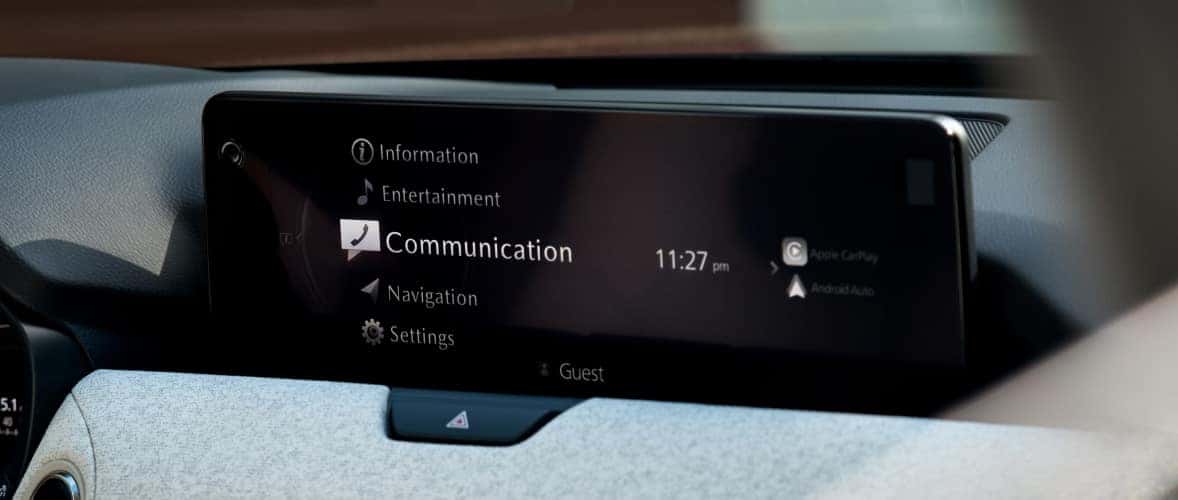
Mazda Connected Services is a technology platform that links your vehicle to the MyMazda app on your smartphone. Through this connection, drivers can remotely access and control key vehicle functions, receive real-time status updates, and stay on top of maintenance needs without having to be physically near the car.
The whole experience runs through the MyMazda app, which gives owners a central place for interacting with their vehicle daily. Remote engine start, Vehicle Health Reports, lock and unlock controls, and more are all in one place.
How Much Does Mazda Connected Services Cost?
The pricing structure is designed to ease owners into the platform before asking for a financial commitment. New Mazda vehicles come with a complimentary trial, and after that period ends, a paid subscription keeps the features active.
The free trial period: What to expect
New purchases and leases on eligible models come with a complimentary trial so you can explore the features before committing to a paid plan. Trial length varies by model year:
- 2025 and newer models: 1 year complimentary (the 2025 CX-70 receives 3 years)
- Applicable 2019-2024 models: 3 years complimentary
- Used and Certified Pre-Owned (CPO) vehicles: may qualify based on the original warranty start date
One detail worth knowing: a 2026 CX-5, for example, continues complimentary Basic Plan connectivity for up to 9 additional years after the trial ends, covering vehicle health and status information.
This trial window is genuinely useful. It gives you enough time to figure out which features fit naturally into your routine before you spend a dollar.
Subscription pricing after the trial ends
Once the trial concludes, three plan options are available:
The Basic Plan focuses on Vehicle Health Report access and vehicle status information. The Preferred Plan runs $10/month and adds remote and security features: engine start/stop, lock/unlock, real-time alerts, and Stolen Vehicle Assistance on the 2026 CX-5. The Premium Plan is $15/month and includes everything in Preferred, plus Google Built-In services where equipped (Google Maps, Google Assistant, Google Play apps).
For most drivers, Preferred at $10/month is the practical choice. Premium makes the most sense if your vehicle supports Google Built-In and you rely on in-car voice control and mapping.
How to subscribe or renew through the MyMazda app
You have two ways to enroll or renew. You can log in at owners.mymazda.com, go to Manage Billing, and enroll in a paid plan. Or, download the MyMazda app from the Apple App Store or Google Play Store, register a MyMazda account, register your eligible vehicle, and complete enrollment in-app. Either way, billing preferences are stored so renewals are automatic unless you choose otherwise.
Key Benefits of Mazda Connected Services
The features Mazda Connected Services offers address real, everyday inconveniences and add genuine utility across a range of driving situations.
Remote start and climate pre-conditioning
Using the MyMazda app, you can start your engine and warm the cabin from your phone before you leave the house. No more scraping a cold windshield or climbing into an overheated car. The engine runs for 15 minutes before shutting off automatically. One note: vehicles with a manual transmission receive all remote services except Remote Engine Start/Stop.
In Oregon’s wet winters and warmer summer months, this feature matters. It’s a small but meaningful quality-of-life improvement, especially for drivers with long commutes or early morning starts.
Remote lock, unlock, and vehicle finder
If you’ve ever wandered through a large parking lot unsure where you left your car, the vehicle finder feature solves that immediately. The MyMazda app pinpoints your vehicle’s location so you can go straight to it. Remote locking and unlocking add another practical layer, letting you secure the car or grant quick access without physically pressing the key fob.
Vehicle health reports and maintenance alerts
Mazda Connected Services pulls diagnostic data from your vehicle and presents it through the app in a readable format. Your Vehicle Health Report summarizes fuel or charge level, tire pressure, oil status, and exterior lights, flagging potential issues early. Maintenance alerts notify you when service intervals are approaching, which removes the guesswork from ownership and helps prevent small problems from turning into costly repairs.
In-app notifications and real-time updates
Beyond scheduled health reports, Mazda Connected Services delivers push notifications about your vehicle’s status: low fuel warnings, unexpected door activity, security events, and upcoming service needs. For families with multiple drivers sharing one vehicle, this visibility is particularly valuable. On the 2026 CX-5, Stolen Vehicle Assistance (SVA) is also active on the Preferred and Premium plans.
Which Mazda Models Are Compatible With Connected Services
Mazda Connected Services is available on select 2019 and newer Mazda models, though specific feature availability varies by model year and built-in capabilities. Generally, the more recent the model year, the broader the feature set available through the MyMazda app. Premium Plan features like Google Built-In require compatible hardware, so not every vehicle supports every tier.
Before assuming your vehicle is fully compatible, confirm the details. If you’re shopping for a new Mazda or recently purchased a used one, we encourage you to schedule a test drive and ask us directly. We can tell you exactly what’s available for a specific vehicle.
Is a Mazda Connected Services Subscription Worth the Cost?
The honest answer depends on how you use your vehicle. Knowing which driver type fits your situation makes the decision pretty straightforward.
What you lose without an active subscription
Once no subscription is active, several features go dark: remote engine start/stop, remote lock/unlock, vehicle status checks, and send-to-car navigation all stop working. For drivers who’ve built habits around remote start or rely on maintenance alerts, losing access is a noticeable downgrade.
What keeps working even without an active subscription: Over-the-Air Updates (OTA), SiriusXM, Private eCall, Stolen Vehicle Assistance (SVA), and offline versions of Google Built-In where applicable. The safety-critical functions stay intact. It’s the convenience and remote access features that require a paid plan.
Drivers who get the most value from subscribing
The value of a subscription scales with how actively you use it. A few driver profiles that tend to get clear returns:
Daily commuters who pre-condition the cabin every morning will feel the $10/month immediately. Parents monitoring a teen driver will use vehicle status and location features on a regular basis. Drivers in cold winters or hot summers often find remote start alone worth the fee. EV and PHEV owners benefit from monitoring charge levels and pre-conditioning before every trip. Anyone parking in busy or unfamiliar areas will lean on remote lock/unlock and vehicle finder more than they expect. Frequent travelers who leave their vehicle for days at a time genuinely appreciate security alerts.
If you rarely open the app and don’t rely on remote access, the Basic Plan may be enough. The free trial is the best way to honestly assess your habits before committing to Preferred or Premium.
Tips for Getting the Most Out of Your Mazda Connected Services
Set up the MyMazda app early. Don’t wait until the trial is almost over to register your vehicle and explore the menus. Enable push notifications from day one so maintenance alerts and security events reach you right away.
Configure your remote start preferences before you need them, so cabin temperature settings already match your comfort zone when the season changes. Before any long trip, run a Vehicle Health Report to catch low tire pressure, fuel level, or warning lights in advance.
Spend a few minutes with the vehicle finder and remote lock tools too. They’re the features most likely to come in handy at an inconvenient moment. And check your model-specific plan options to confirm whether Premium with Google Built-In is actually available for your vehicle before assuming it is.
Talk to the Mazda Experts at Kiefer Mazda in Eugene
If you’re sorting out whether Mazda Connected Services is worth it for your situation, or you want help getting your subscription set up, we’re here. At Kiefer Mazda in Eugene, Oregon, we work with Mazda owners every day on questions exactly like this. We can confirm compatibility on a specific model or walk you through the MyMazda app if it’s your first time using it.
Whether you’re a current owner approaching the end of your trial or a shopper evaluating a new Mazda, we can answer your questions clearly and without pressure. Contact us online, schedule a test drive, or explore financing options for a new Mazda. Having a local team in your corner makes the connected services experience noticeably smoother, especially when you’re just getting started.
Image courtesy of Mazda USA
0 comment(s) so far on How Much Is Mazda Connected Services?